rsync是一个非常强大且灵活的文件同步工具,广泛用于本地和远程文件同步,常见的参数如下:
- -v:详细输出过程
- -a:归档模式,等同于rlptgod参数的合集,r表示递归,l表示同步符号链接,p表示保留文件权限,t表示保留文件修改时间,g表示保留文件属组,o表示保留文件属主,D表示保留设备文件和特殊文件
- -z:压缩模式,传输过程中对文件进行压缩,减少网络带宽的使用
- –delete:删除目标目录中多余的文件
- –exclude:排除特定文件或目录
- –include:包含特定的文件或目录
- -n:模拟模式,用于测试和调试,实际并不会执行
- -u:跳过目标目录中较新的文件
注:rsync要求远程机器也要安装rsync才行,否则会提示错误的
验证rsync
环境准备:
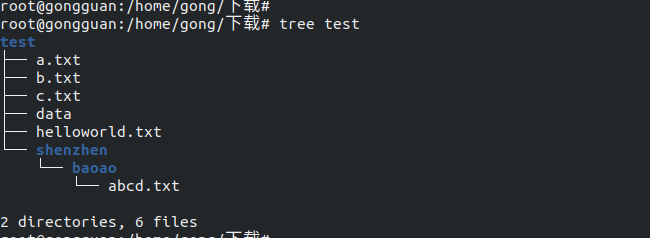
本地要同步的目录test文件内容结构如图:
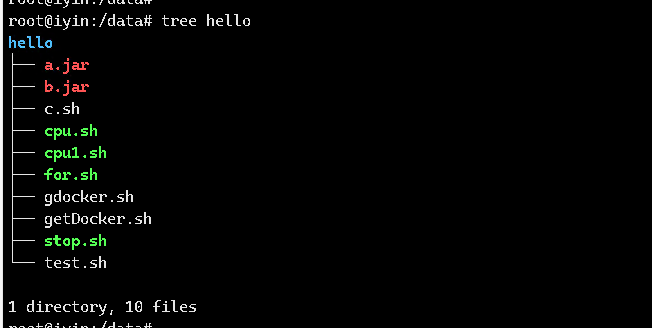
远程机器192.168.51.15的/data/hello目录结构如下:
一、本机同步
本机同步非常简单,比如直接从一块盘到另一块盘,直接执行如下命令:
rsync -av test /data/linshi #同步到数据盘的/data/linshi目录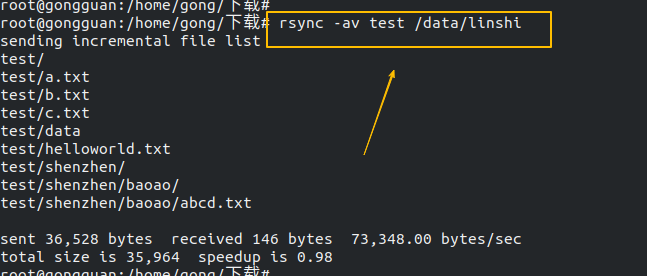
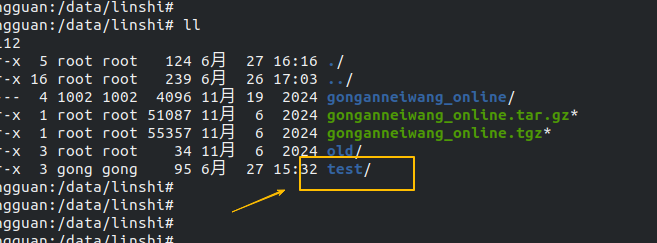
注意:这里test后面没有/,此时表示将整个test目录同步过去了,查看/data/linshi如图:
删除/data/linshi/test并重新执行同步命令,这次在test后面加/,如下:
rsync -av test/ /data/linshi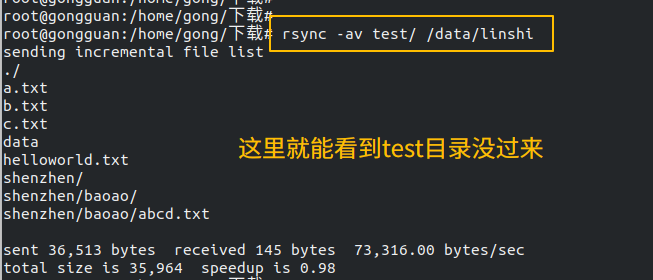
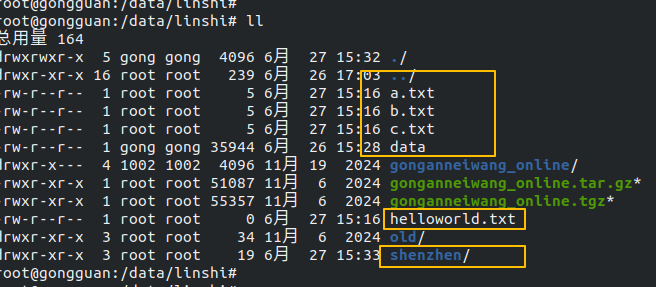
查看/data/linshi/目录,可以看到test目录下的文件和目录都过来了,test目录本身没过来,如图:
二、远程同步
1、传输过程中对文件进行压缩,如下:
rsync -avz test/ gongguan@192.168.51.15:/data/hello注:只是传输过程中压缩,到目标目录后还是原文件,不是压缩文件
2、将远程目录传输到本地来,传输过程压缩,如下:
rsync -avz gongguan@192.168.51.15:/data/hello test    #不加/
rsync -avz gongguan@192.168.51.15:/data/hello/ test   #加/
3、删除目标目录中不存在于源目录中的文件,其实是先把目标目录清空然后传输,如下:
rsync -avz --delete test/ gongguan@192.168.51.15:/data/hello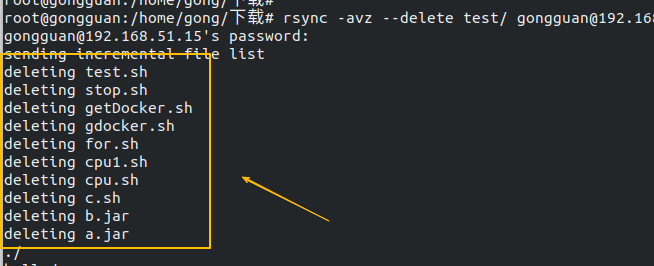
4、排除源目录中的指定目录或者文件,也包含子目录的相应目录或者文件,如下:
#排除目录hello
rsync -avz --exclude='hello' test/ gongguan@192.168.51.15:/data/hello
#排除目录hello、shenzhen,多个目录就要用多个--exclude
rsync -avz --exclude='hello' --exclude='shenzhen' test/ gongguan@192.168.51.15:/data/hello
#排除后缀名是txt的文件
rsync -avz --exclude='*.txt' test/ gongguan@192.168.51.15:/data/hello
#排除后缀名是txt和pdf文件,多个后缀名就要用多个--exclude
rsync -avz --exclude='*.txt' --exclude='*.pdf' test/ gongguan@192.168.51.15:/data/hello
5、包含指定的文件或目录,查看本地的test目录结构,如图:
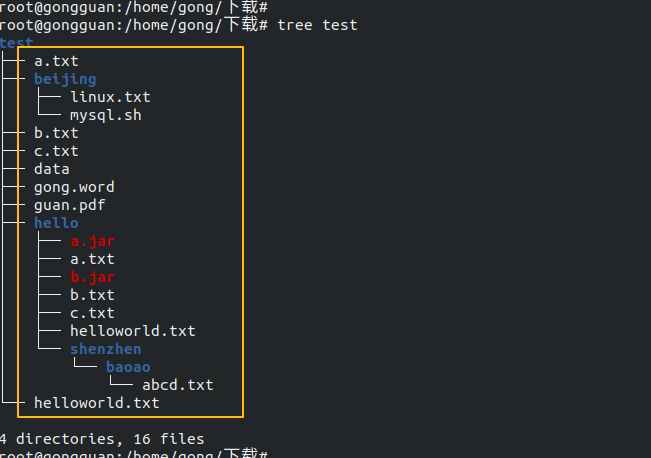
#先通过exclude排除所有后再选择要传的txt,test下面的子目录中的txt不会传过去
rsync -avz --include='*.txt' --exclude='*' test/ gongguan@192.168.51.15:/data/hello    #直接传递到hello目录下
查看远程目录结构,只有test目录下的txt传输过去了,hello和beijng下的txt没过去,如图:
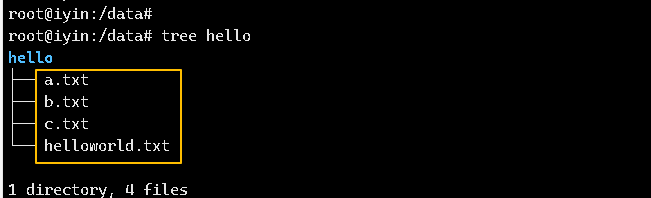
#传递hello目录以及hello目录的目录和文件,如果hello目录下还有目录,只会同步此目录名不会同步目录内的其他文件或目录
rsync -avz --include='hello' --include='hello/*' --exclude='*' test/ gongguan@192.168.51.15:/data/hello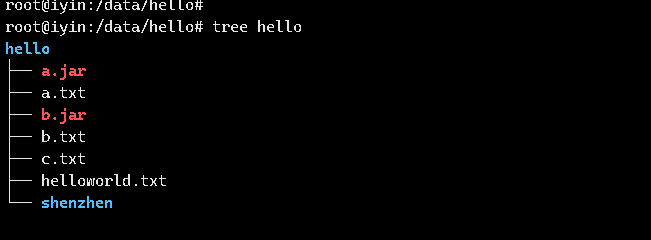
#同步hello目录下的文件和hello目录下的shenzhen/baoao目录下的文件
rsync -avz --include='hello' --include='hello/*' --include='hello/shenzhen/*' --include='hello/shenzhen/baoao/*'  --exclude='*' test/ gongguan@192.168.51.15:/data/hello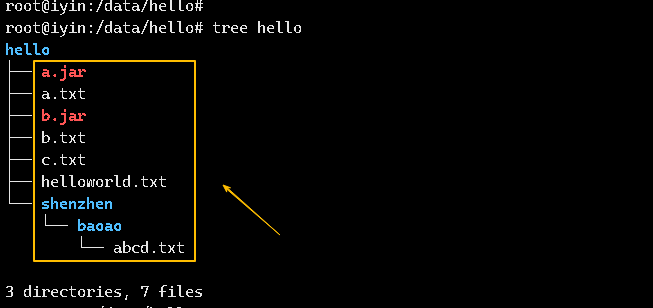
注:–include要和–exclude一起配合使用才行,单独使用–include不生效